
Desktop AI Operating Companions Are Moving Assistants Into the Execution Era
From MCP and local AI on Windows to LumiOS, AI assistants are moving from temporary chat boxes toward persistent desktop companions with memory, tools, and execution workflows.

Key takeaways
AI assistants are shifting from one-off chat interfaces toward personal AI operating companions. MCP standardizes connections to tools and data, local AI brings some capability closer to the device, and LumiOS provides a concrete desktop product example for this shift.
AI assistants are moving beyond the question-and-answer box. Anthropic's Model Context Protocol shows how assistants can connect to data sources, business tools, and development environments through a shared standard. Microsoft Windows AI documentation also points to a growing local AI direction on personal computers.
The important change is continuity. Users do not want to explain the same context, upload the same files, and switch between the same tools every time they start a new task. A personal AI operating companion tries to keep memory, models, tools, voice, and a local workbench in one durable desktop entry point.
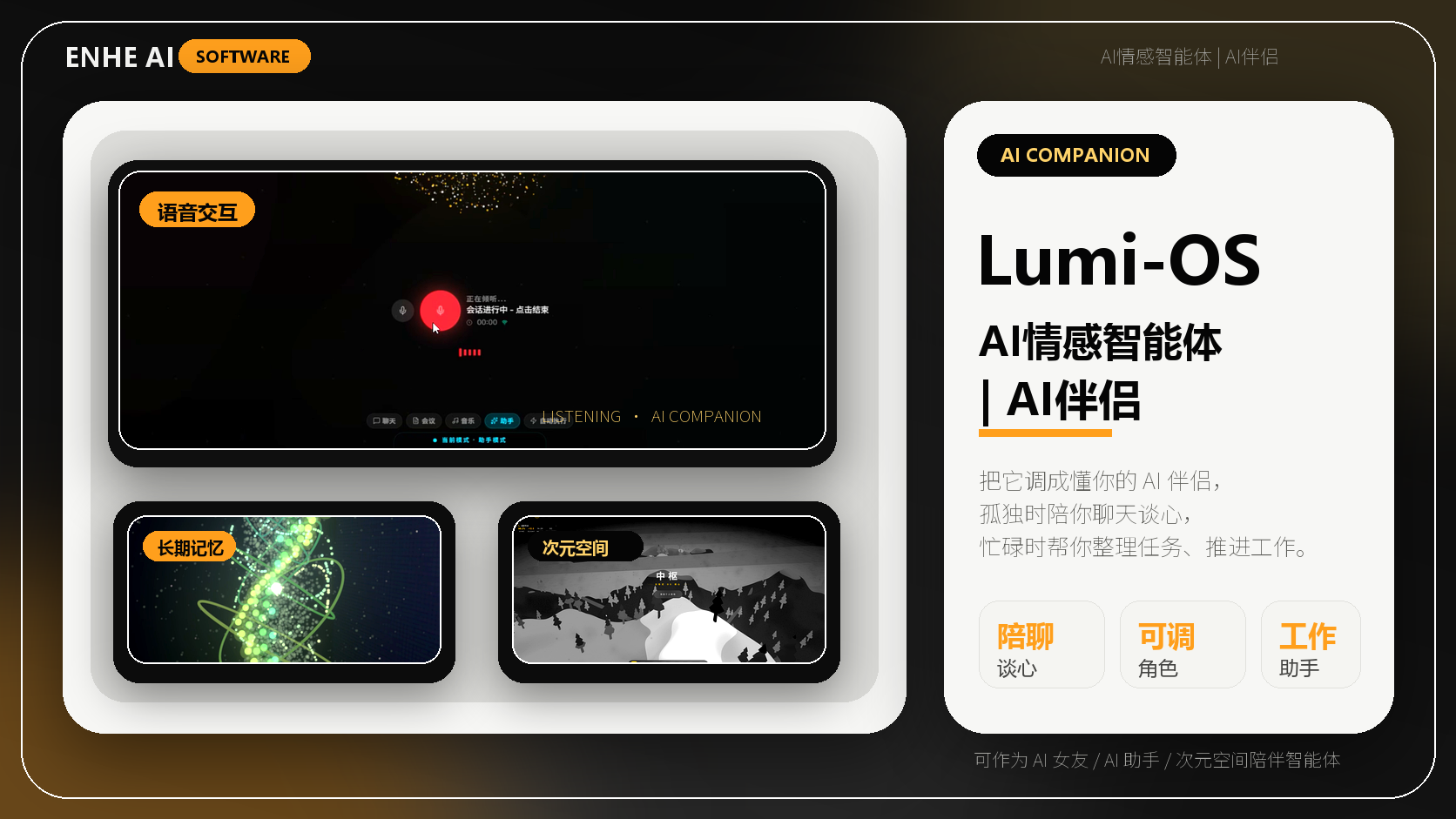
LumiOS is a concrete example of this category. Its public project materials describe a Windows desktop AI product with multi-model access, long-term memory, MCP ecosystem support, voice interaction, local models, and a desktop workbench. The practical question for users is whether such a product can reduce repeated context setup and stay with real work.
What this means for everyday users
For ENHE users, AI software evaluation should move beyond model names. The more important questions are whether the product preserves context, connects tools, supports local or private workflows, and provides clear API key, license, and diagnostic flows.
Tools you may use

Related tutorials
Related Tools And Tutorials
Use the following ENHE AI sections to continue from the news signal into tool selection, account-service guidance, or practical learning.
Related reading
From Chat Boxes to Personal AI Companions: AI Assistants Are Entering the Desktop Execution Era
AI assistants are moving from answering questions toward continuing real tasks. AI agents, MCP tool ecosystems, personal memory, and local workbenches are pushing this shift together. For users, the real value is not another chat box, but less repeated context setup and more continuity from thinking to doing.
ElevenLabs Expands Its MCP Connector to Voice, Music, Images, and Video
ElevenLabs updated its MCP connector announcement on October 12, 2026. Through an OAuth sign-in, users can access speech generation, transcription, dubbing, music, sound effects, images, and video from compatible assistants such as Claude, ChatGPT, and Cursor, with outputs stored in an ElevenCreative workspace. The connector removes manual API-key handling and can expose more than 50 models, but that does not remove billing, permission, privacy, or rights obligations. This article gives a minimum workflow from connection to publication: choose the correct workspace, review requested scopes, restrict available tools, test with non-sensitive material, inspect model and cost records, verify consent and asset rights, edit the result, and require a human approval before anything is published externally.
gFiber and Qualcomm Unveil a Wi-Fi 8 Gateway With On-Device Agentic AI
gFiber, Qualcomm, and Gemtek unveiled the Wi-Fi 8 Premium Gateway on October 12, 2026. The device combines Wi-Fi 8, a dedicated NPU, and agentic AI for tasks such as pausing social media on selected devices through natural language, creating guest-access QR codes, and diagnosing network health. Existing gFiber 20 Gig customers are expected to receive the device first after certification, while retail pricing and a broad timetable were not announced. This article explains what households should verify beyond the demo: which requests and logs stay on the gateway, who can authorize network changes, how guests and children are identified, how long security updates last, what happens when AI or cloud services fail, and whether conventional controls remain available.
How to Choose an AI Home Gateway: Eight Checks Beyond Local Processing
An AI home gateway can see connected devices, access records, and network controls, so a dedicated NPU or a 'local processing' label is not enough. NIST guidance for consumer routers and trusted IoT onboarding emphasizes asset identification, minimized interfaces, reliable updates, explicit authorization, secure credential delivery, and lifecycle management. This durable guide turns those principles into eight purchase checks for AI routers, smart-home hubs, and provider-supplied gateways. Before buying or enabling one, identify every product component, map local and cloud data flows, separate administrator and guest roles, test device onboarding and removal, verify signed update support, review logs and network segmentation, preserve a manual recovery route, and obtain a clear end-of-support and data-export plan.
GitHub Copilot CLI Can Discover Local Ollama Models
GitHub updated Copilot CLI on October 7, 2026 so version 1.0.94-0 and later can discover supported models from a running local Ollama instance through the /model picker. Users can inspect the provider and endpoint, add a model, and use it in the current session without restarting the CLI. The workflow does not install Ollama or download model files, and compatible models must support tool calling and streaming. GitHub also highlights a privacy boundary that is easy to miss: selecting a local model does not automatically enable offline mode or disable GitHub telemetry. A remote provider may still receive prompts and code context even when offline mode is set. The practical task is therefore to verify the full route—runtime, endpoint, model capability, telemetry, tools, and outbound traffic—not merely the model label.
GitHub Copilot Local Sandboxing Is Generally Available
GitHub made local sandboxing generally available on October 7, 2026 for GitHub Copilot CLI, the GitHub Copilot app, and VS Code sessions that use Agent Host. The feature applies operating-system controls to agent-run commands so users can restrict filesystem paths, network access, Git credentials, and supported local tools. GitHub's documentation also sets important boundaries: local sandboxing is off by default, CLI and app settings are separate, remote MCP servers are not sandboxed, and some in-process file tools enforce policy on a best-effort basis rather than through the operating-system sandbox. This guide focuses on verification rather than the toggle itself: enable the feature, test denied reads and writes, test blocked network access, confirm credential masking, inspect MCP placement, and configure fail-closed behavior where the organization requires enforcement.
Summary
Desktop AI operating companions are a key signal that AI is moving from answering into execution. MCP, local AI, and products such as LumiOS show that the next competition will focus on memory, tools, permissions, and real workflows.
Sources
FAQ
What is this ENHE AI article about?
AI assistants are shifting from one-off chat interfaces toward personal AI operating companions. MCP standardizes connections to tools and data, local AI brings some capability closer to the device, and LumiOS provides a concrete desktop product example for this shift.
Why is this AI update worth watching?
MCP is standardizing how AI assistants connect with tools, data, and development environments. Local AI and desktop products are bringing assistants closer to user devices, files, and workflows. The core differentiators are persistent memory, multi-model access, tool execution, and a local workbench. LumiOS is a concrete product example for evaluating the personal AI operating companion trend.
What does it mean for everyday AI users?
For ENHE users, AI software evaluation should move beyond model names. The more important questions are whether the product preserves context, connects tools, supports local or private workflows, and provides clear API key, license, and diagnostic flows.
Where can readers continue learning on ENHE AI?
Readers can continue with ENHE AI software apps, AI skill tutorials, and AI account service guidance to turn the news signal into practical action.
Table of contents
Desktop AI Operating Companions Are Moving Assistants Into the Execution Era