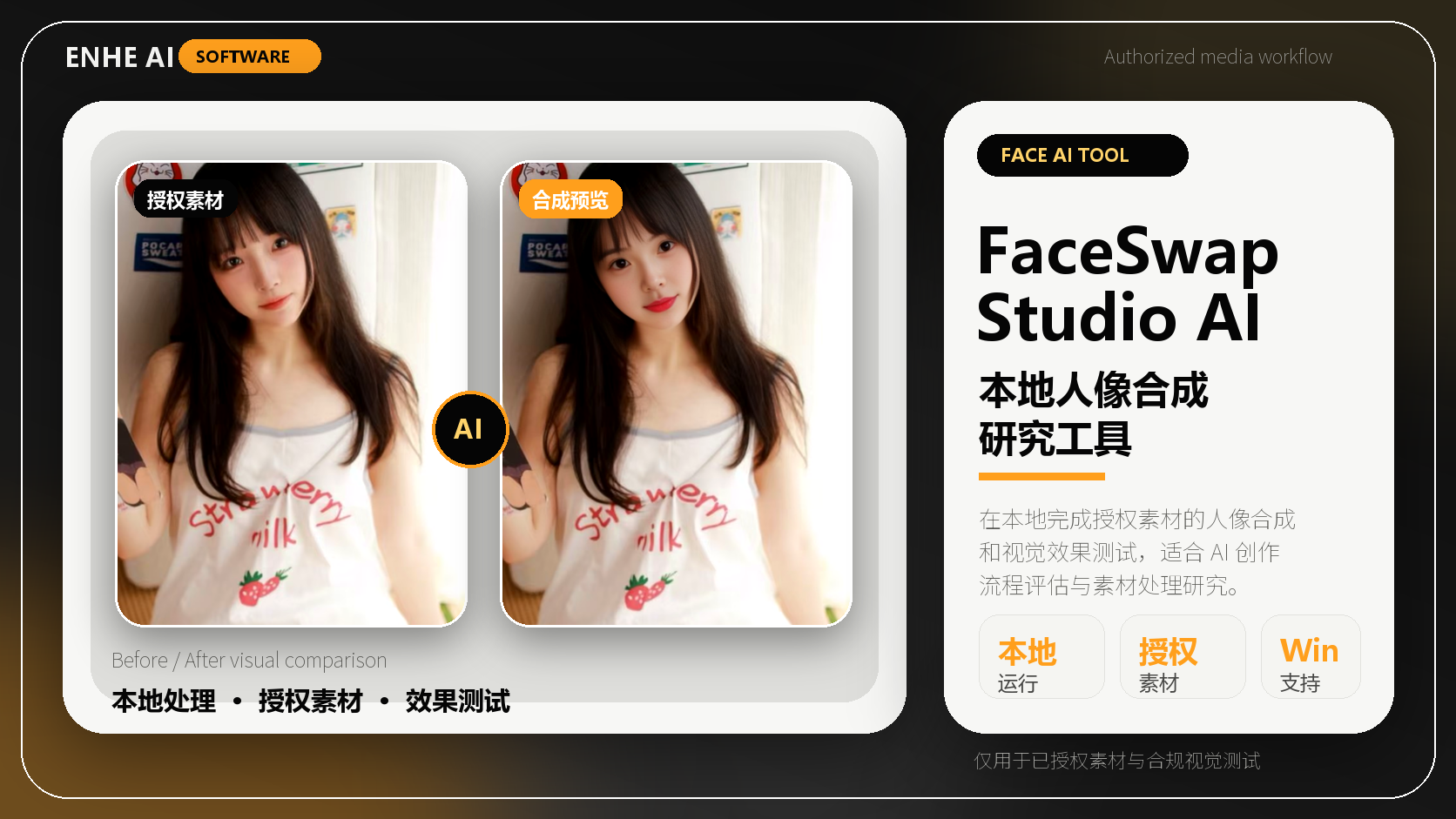
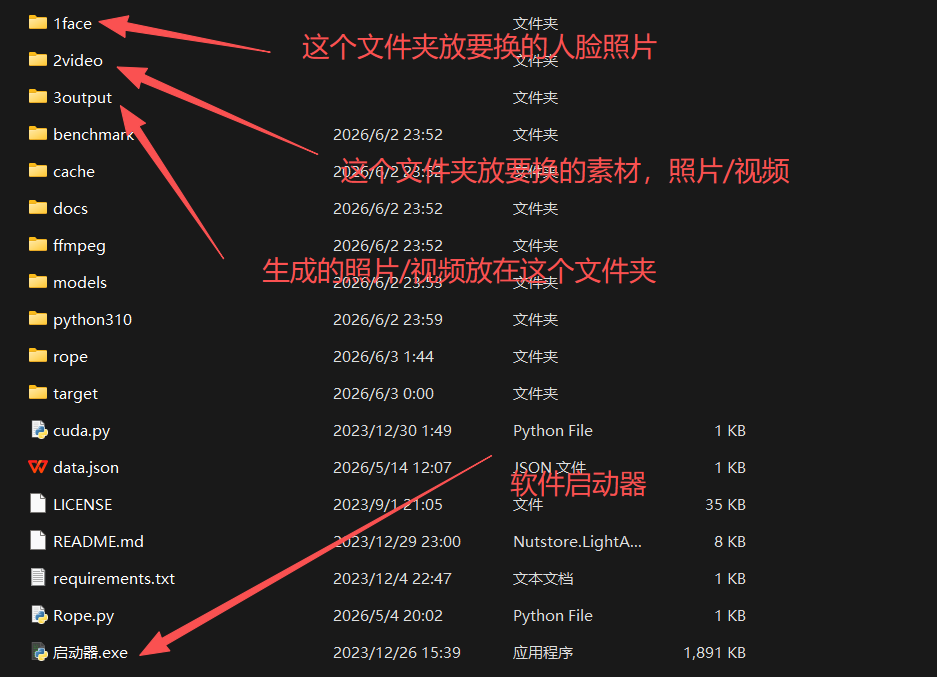
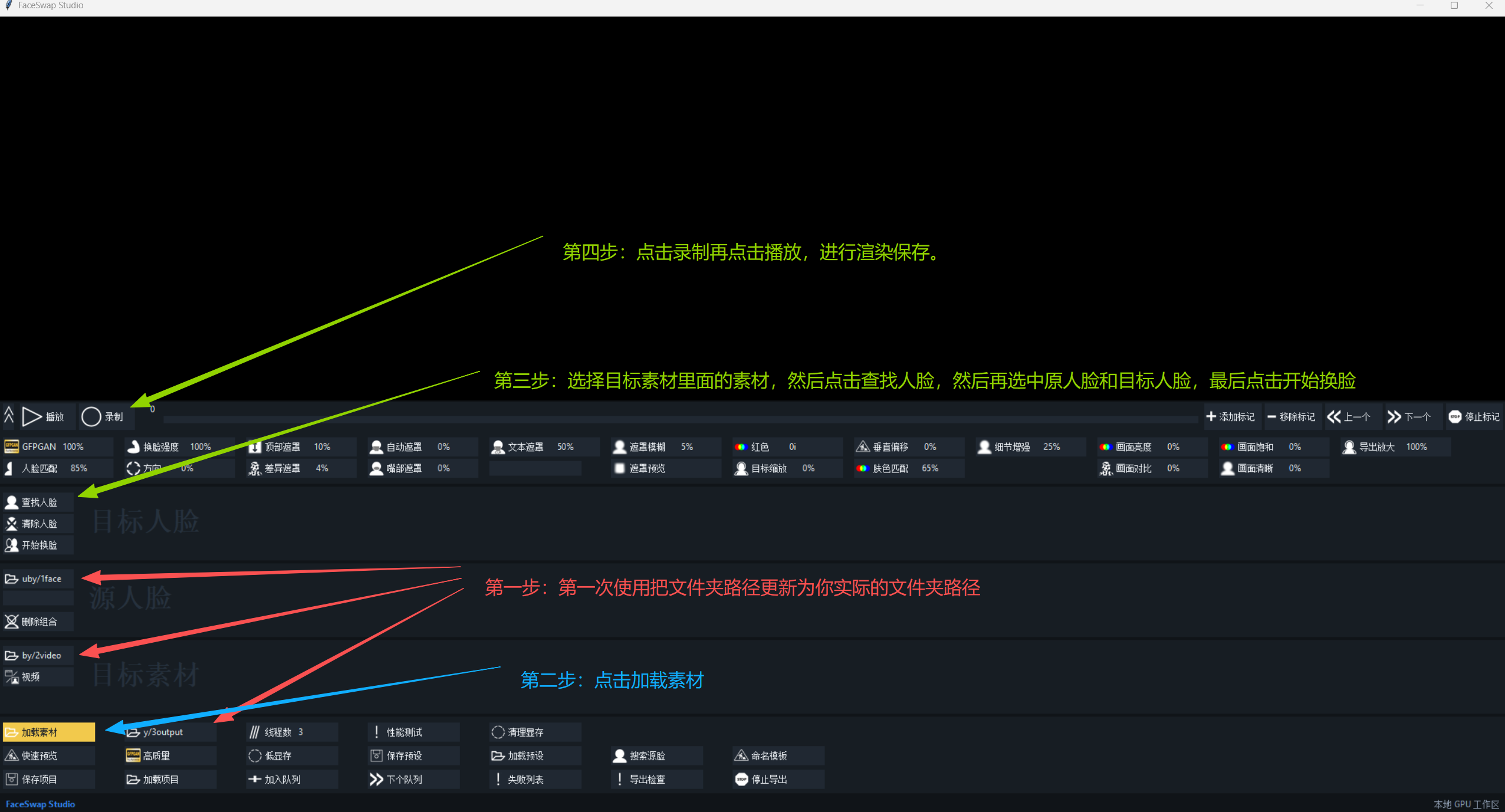
FaceSwap Studio Chinese Integrated Edition is a local AI portrait synthesis and image processing research tool designed for learning, development testing, authorized material demonstrations, and technical exploration. The package includes a prepared runtime environment, Chinese interface, launcher, and detailed usage tutorial. After downloading and extracting the package, users can follow the tutorial to complete activation, basic setup, material import, parameter adjustment, preview, and export.
The software supports both image and video material processing. It can be used for authorized portrait face synthesis research, material blending, visual enhancement, HD restoration, and export testing. Users can adjust parameters such as brightness, contrast, saturation, and clarity according to their materials. It also supports practical functions such as masking, skin tone matching, detail enhancement, and export upscaling to improve output quality. The included illustrated tutorial helps beginners complete the workflow step by step.
FaceSwap Studio Chinese Integrated Edition is suitable for AI image processing learners, short video material researchers, visual effects learners, digital human technology learners, Python and AI tool enthusiasts, and users who need to test portrait synthesis workflows locally on a Windows computer. The software is recommended for Windows 10 or Windows 11. An NVIDIA dedicated graphics card is recommended, with at least 4GB of VRAM. For HD restoration or higher-quality output, 6GB or more VRAM is recommended. This is not a mobile app and is not recommended for computers with only integrated graphics or without a dedicated GPU.
Before using the software, it is recommended to place the program in an English directory, such as D:\FaceSwapStudio. Image names, video names, and material paths should also use English letters or numbers. Avoid Chinese characters, special symbols, or overly long directory paths. The first launch requires an activation code. A single-machine activation code is bound to the current computer. If you change computers or need extended authorization, please contact the developer or seller.
This tool is intended only for AI image processing learning, development research, authorized material testing, and technical communication. It must not be used for impersonation, fraud, infringement, privacy violation, illegal content distribution, or any unlawful activity. Please ensure that all portraits, images, videos, audio, and related materials used with this software are legally authorized. By purchasing and using this product, you acknowledge and agree to the responsible use requirements.
The delivery package includes the FaceSwap Studio Chinese integrated package, one-click launcher, activation instructions, illustrated user guide, basic troubleshooting notes, and beginner operation guidance. As this is a virtual digital product, refunds without reason are not supported after delivery. If you encounter issues related to startup, file paths, graphics card environment, or activation, support can be provided for troubleshooting.