Project overview
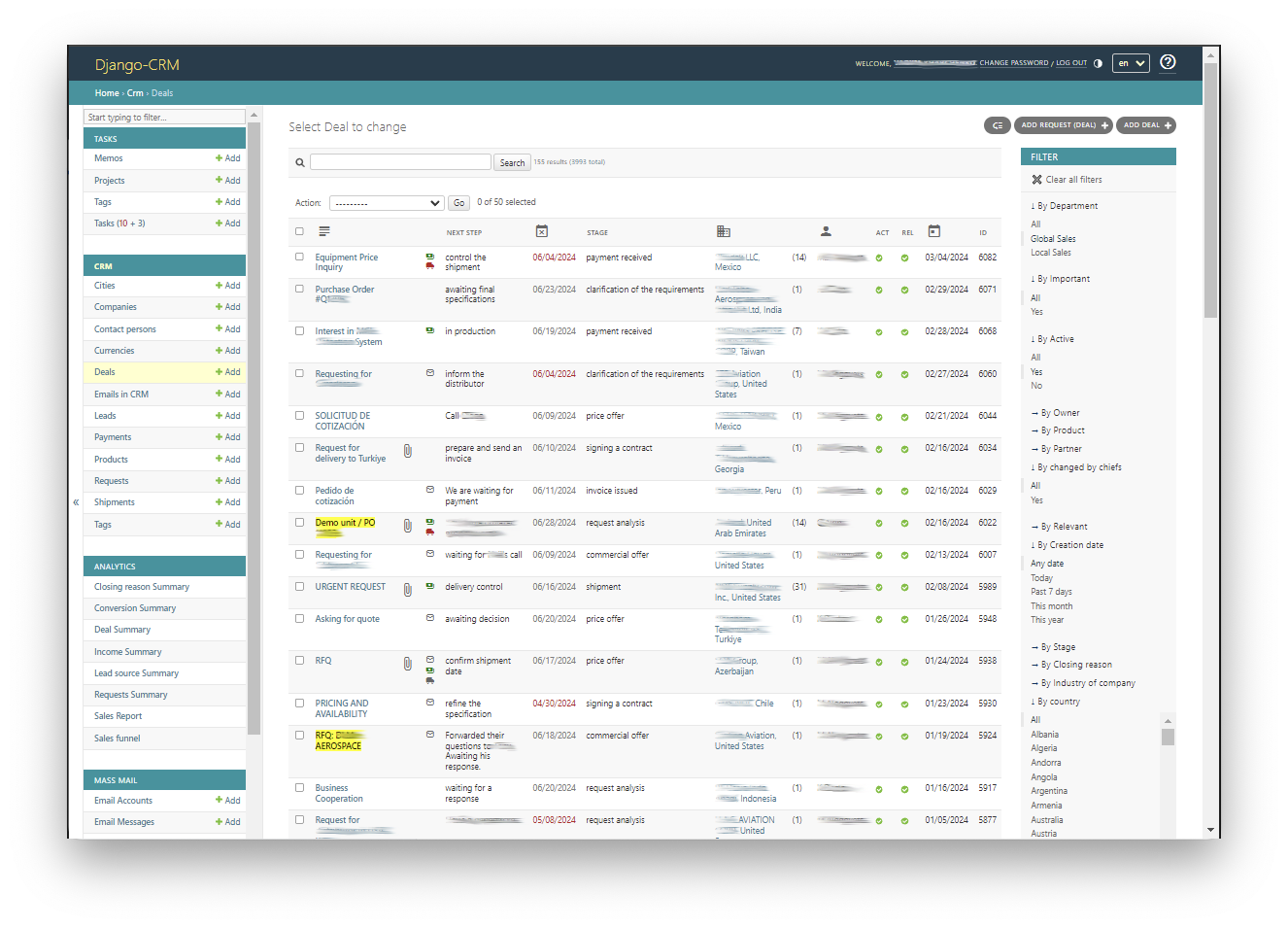
Django-CRM is customer relationship management software built with Python and Django. It can be self-hosted and primarily uses the Django Admin interface for business operations. It includes customer management, task and project management, email, and analytics modules, and is released under the AGPL-3.0 license.
Use cases
Businesses, agencies, and freelancers can use it to maintain customer records, follow sales opportunities, assign team tasks, and manage email campaigns. Teams seeking a self-hosted system or a Django-based foundation for customized internal business tools can also evaluate the project.
What it does and problems it solves
The project brings leads, companies, contacts, deals, products, payments, and related emails together, helping connect customer records with the sales process. Its task module supports projects, tasks, subtasks, individual and team assignments, chat, files, and reminders.
The email module supports SMTP, IMAP, campaigns, dynamic templates, and contact segmentation, and can associate correspondence with requests, leads, and deals. Analytics include sales funnels, income summaries, lead sources, and request summaries. The management interface supports filtering, sorting, searching, and access controls.
The core project does not provide a complete standalone REST API. Such APIs and AI assistant integrations require separate evaluation of third-party Django Admin extensions and should not be treated as built-in features.
How to use
1. Open the original repository from the bottom of this page and find the User Guide in its README to learn about the management interface and business operations. The supplied material does not include that guide's contents, a specific login address, or initial account setup instructions.
2. Read the CRM system overview to understand how requests, leads, companies, contacts, and deals relate, then select the modules relevant to your business.
3. For team work, consult Task features for projects, tasks, subtasks, and assignments. For sales reporting, consult Analytics app overview.
4. Before configuring email accounts, campaigns, or external integrations, consult the installation and configuration guide and user guide in the original repository. The supplied README lists these capabilities but does not provide complete configuration procedures.
Installation
1. Obtain the source download option or corresponding clone address from the original repository at the bottom of this page. The supplied material points to a source repository and does not provide a directly installable software package.
2. Open `docs/installation_and_configuration_guide.md` in the repository and follow it to prepare the environment. The README lists Python 3.12+ and Django 6.0+ as compatibility requirements, and also lists MySQL 8.0.11+ and PostgreSQL 14+ as compatible database versions.
3. For testing and evaluation, follow the installation guide to use SQLite; the README states that no external database is required for this scenario. Users needing Django 5.2.11 LTS should consult the repository's `v1.7.x-LTS` branch and its instructions.
4. Follow the original installation guide for the remaining configuration and startup steps. The supplied README does not include dependency installation, database initialization, administrator account creation, or startup commands, and does not specify operating system requirements, so this page alone is insufficient to complete installation.
Source and usage notes
- Original repository: https://github.com/DjangoCRM/django-crm
- Source revision: f195a36eacc3eb19d0eca6dd6e2e7e8a397c7ec5
This listing links to the upstream repository. It does not provide a verified download package, and the complete workflow has not been independently validated.
This description was organized and translated with AI from public upstream material. Refer to the original repository for capabilities, setup requirements, costs, and license terms.