Project overview
llm-course is a course and resource collection for learning about large language models. It includes learning roadmaps, reference articles, and Colab notebooks. Notebooks are practical documents combining explanations with code.
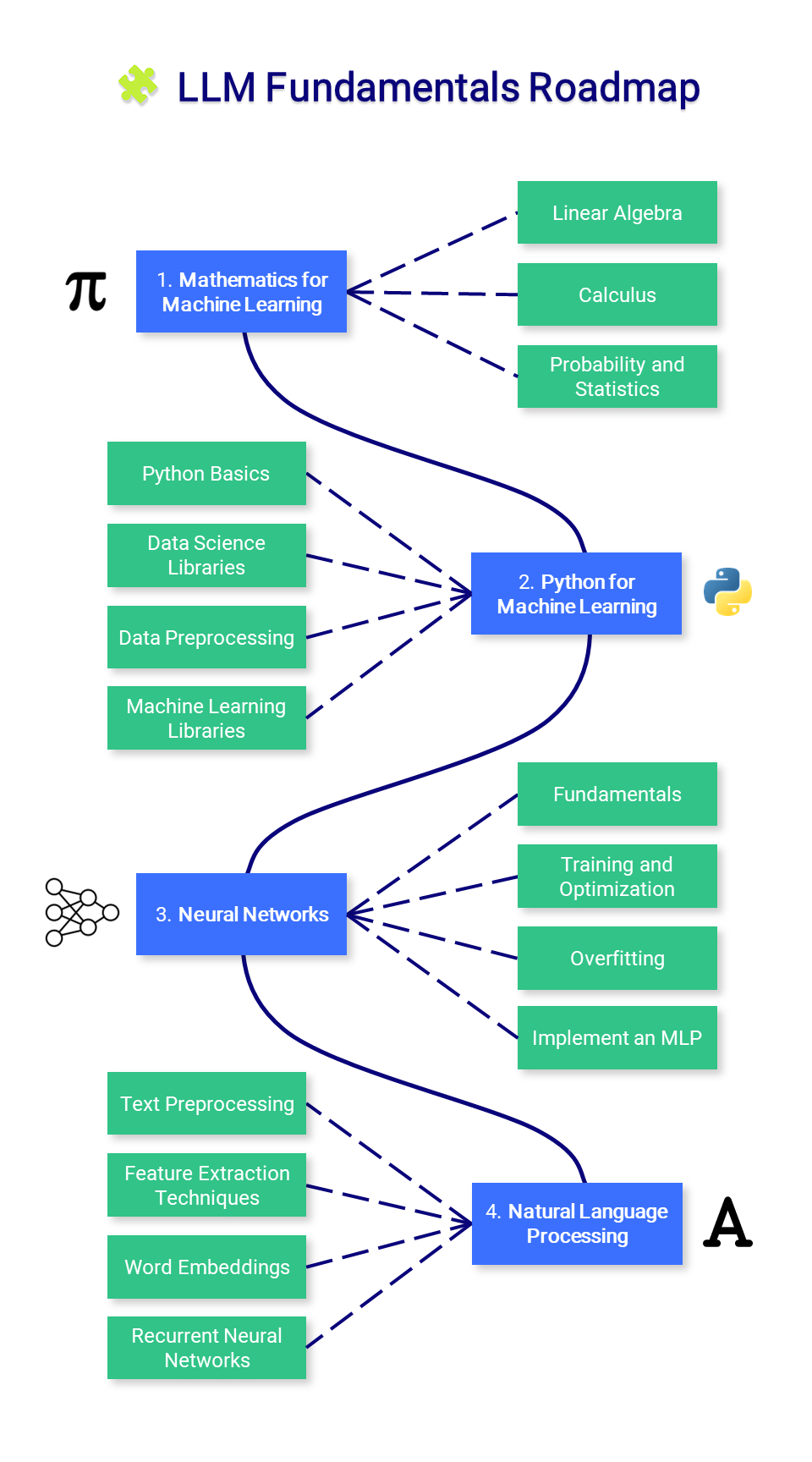
The course has three parts: LLM Fundamentals covers mathematics, Python, neural networks, and natural language processing and can be consulted as needed; The LLM Scientist covers model architecture, training data, fine-tuning, preference alignment, evaluation, and quantization; The LLM Engineer covers running models, retrieval-augmented generation, agents, inference optimization, deployment, and security.
The material primarily concerns language model learning and applications. It does not provide a dedicated video generation workflow.
Use cases
The collection suits readers who want to organize their understanding of LLMs, find learning materials, or choose practical tutorials. Beginners can consult the fundamentals, learners with programming experience can find fine-tuning, quantization, and evaluation examples, and application developers can explore resources on document-based question answering, agents, and deployment.
For example, readers who want a model to answer questions using external documents can explore retrieval-augmented generation. Those interested in adapting existing models can consult fine-tuning and training data topics. Those exploring the resources needed to run models can consult quantization, inference optimization, and deployment.
What it does and problems it solves
The project organizes scattered materials by learning stage and technical topic, helping readers choose a learning direction and find relevant articles, tool projects, and practical notebooks. The notebook list groups entries into tools, fine-tuning, quantization, and other topics for selection by goal.
It provides course structure and resource entry points. The list itself is not runnable software. Each tool's capabilities, runtime requirements, and instructions must be checked in its own project or notebook; the collected resources do not form a single application with a shared installation process.
How to use
1. Open the original repository from the bottom of this page. Read the three-part course introduction in the README and choose fundamentals, model research, or application engineering.
2. Browse the roadmap, topic descriptions, and references in your chosen section. Consult the fundamentals as needed; they do not have to be your starting point.
3. For practical exercises, find the notebook list and expand its collapsible section. Select entries by tools, fine-tuning, quantization, or other topics. For example, the fine-tuning category includes a tutorial on adapting Llama 3.1 with Unsloth, while the quantization category includes tutorials involving GGUF and llama.cpp.
4. Select an entry's project name, article entry, or “Open In Colab” entry to open the corresponding project, tutorial, or notebook. Follow that resource's instructions for the exercise; the supplied README does not include complete execution steps for each notebook.
Installation
1. No installation of llm-course is needed to read the course, browse the resource list, or choose tutorials. View them directly on the original repository page.
2. To use a practical notebook, open its “Open In Colab” entry in the README, then consult the environment setup and operating instructions inside that notebook. The supplied README does not provide shared dependency versions, hardware requirements, or installation commands.
3. To use a separately listed tool, open that tool's original repository and follow its installation documentation. The supplied material does not include complete installation information for these tools, so it does not support a universal installation procedure.
Source and usage notes
- Original repository: https://github.com/mlabonne/llm-course
- Source revision: 7abd96e8284bfae232048fdb77b52397a2114847
This listing links to the upstream repository. It does not provide a verified download package, and the complete workflow has not been independently validated.
This description was organized and translated with AI from public upstream material. Refer to the original repository for capabilities, setup requirements, costs, and license terms.