Project overview
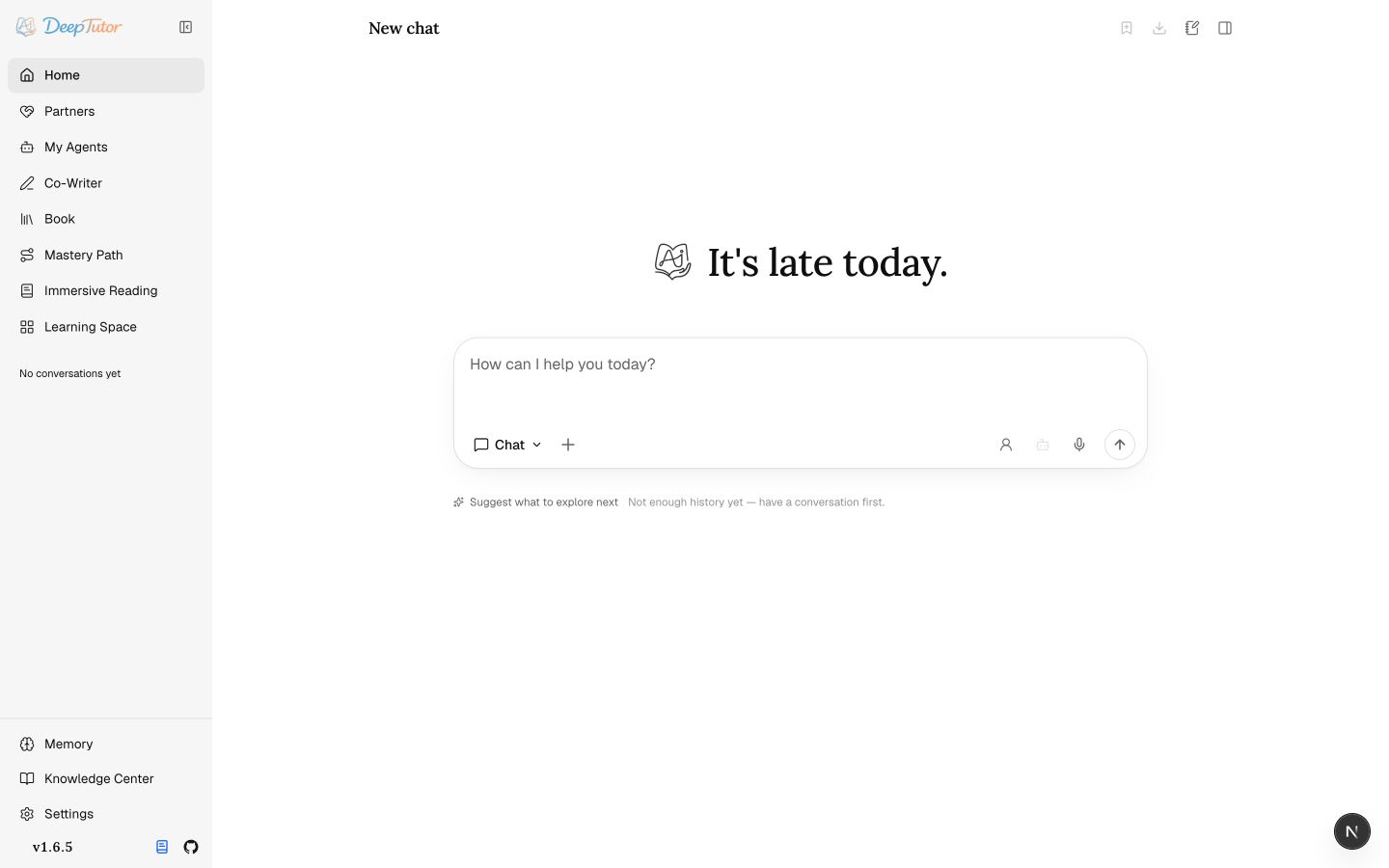
DeepTutor is a personalized learning project primarily written in Python, with a web application and a command-line interface. It brings tutoring chat, problem solving, quiz generation, research, visualization, immersive reading, and mastery practice into one extensible learning workspace.
Supported learning workflows can reuse knowledge bases, books, writing drafts, notebooks, question banks, and learning memory. The project also provides an interface for inspecting and editing memory.
Use cases
- Study textbooks and personal materials: create a knowledge base, select relevant materials or attach files in chat, and ask questions about their content.
- Solve problems and review: use Solve for worked solutions, and Quiz, Mastery Path, and Practice for assessments and exercises.
- Learn through reading and video: read documents in Reading or add YouTube and Bilibili video links, with transcript search, timestamp-based questions, notes, and progress tracking.
- Organize learning outputs: edit reports and notes in Co-Writer, or use Book to turn selected materials into interactive books containing elements such as quizzes.
- Manage study tasks: use Task Board to organize tasks into To do, In progress, and Done, with accompanying notes.
What it does and problems it solves
DeepTutor connects learning materials, conversations, and practice, reducing the need to repeatedly assemble context across question-answering, reading, writing, and review tools.
Knowledge bases retrieve relevant material to ground responses and support chat, writing edits, and book generation. Book proposes a chapter outline for review before generating content. Co-Writer lets users select text and request a rewrite, expansion, or shorter version. Inspectable learning memory supports ongoing personalized tutoring.
These are capabilities described in the README. They do not establish that generated content is always accurate or guarantee learning outcomes.
How to use
1. After installation, run `deeptutor start` in a terminal, keep that terminal open, and open the frontend access address printed there in your browser.
2. If you did not configure a model during initialization, open Settings → Providers and enter your model service's connection address and API key. Then open Language models, add a model, and select it.
3. Start in Chat and enter a learning question. Use the `+` menu to attach files or other references for the current turn. Select a knowledge base in the conversation when you need it as ongoing context.
4. To build a document collection, open Knowledge Center, create a knowledge base, choose a retrieval engine, and upload documents. Configure an embedding service if required; this service converts text into numerical representations for retrieval. Choose document parsing options in Settings → Knowledge & documents.
5. Switch to Quiz, Solve, Research, or Visualize according to your task. For writing, open Co-Writer, select text, and request changes. To create a Book, select sources, review the chapter outline, and then generate the content.
6. To choose the folder containing your learning files, open Settings → Workspaces. When finished, press `Ctrl+C` in the terminal running the application to stop both backend and frontend services.
Installation
The following uses the README's PyPI installation method, which installs the full local web application and command-line tools without cloning the repository.
1. Prepare Python 3.11–3.14 and Node.js 20 or later, and ensure both are available from your terminal. The supplied material does not include detailed installation instructions for these prerequisites. If either is missing, consult the installation guides in the original repository listed below this page.
2. Create a folder for DeepTutor's runtime data and open a terminal in that folder. By default, private settings are stored under `data/user/settings/` inside this directory.
3. Run `pip install -U deeptutor` to install or update DeepTutor.
4. Run `deeptutor init` and follow the prompts for frontend and backend ports, model provider, connection address, API key, and model. Configure an embedding service for knowledge bases and a web search service as needed.
5. Run `deeptutor start` and open the frontend access address printed in the terminal. The default backend port is `8001`, and the default frontend port is `3782`.
6. For source, Docker, or command-line-only installation, open the original repository listed below this page and read the corresponding installation section. Obtain the clone address from that repository if cloning is needed. These methods have different prerequisites and steps, so their instructions should not be mixed directly.
Source and usage notes
- Original repository: https://github.com/HKUDS/DeepTutor
- Source revision: a31d82624c27d75f4e771d4fcb78dce16470b383
This listing links to the upstream repository. It does not provide a verified download package, and the complete workflow has not been independently validated.
This description was organized and translated with AI from public upstream material. Refer to the original repository for capabilities, setup requirements, costs, and license terms.