ENHE 工具封面
Windows 桌面工作流 | AI 智能体伴侣
Windows Desktop Workflow | Personal AI Agent Companion
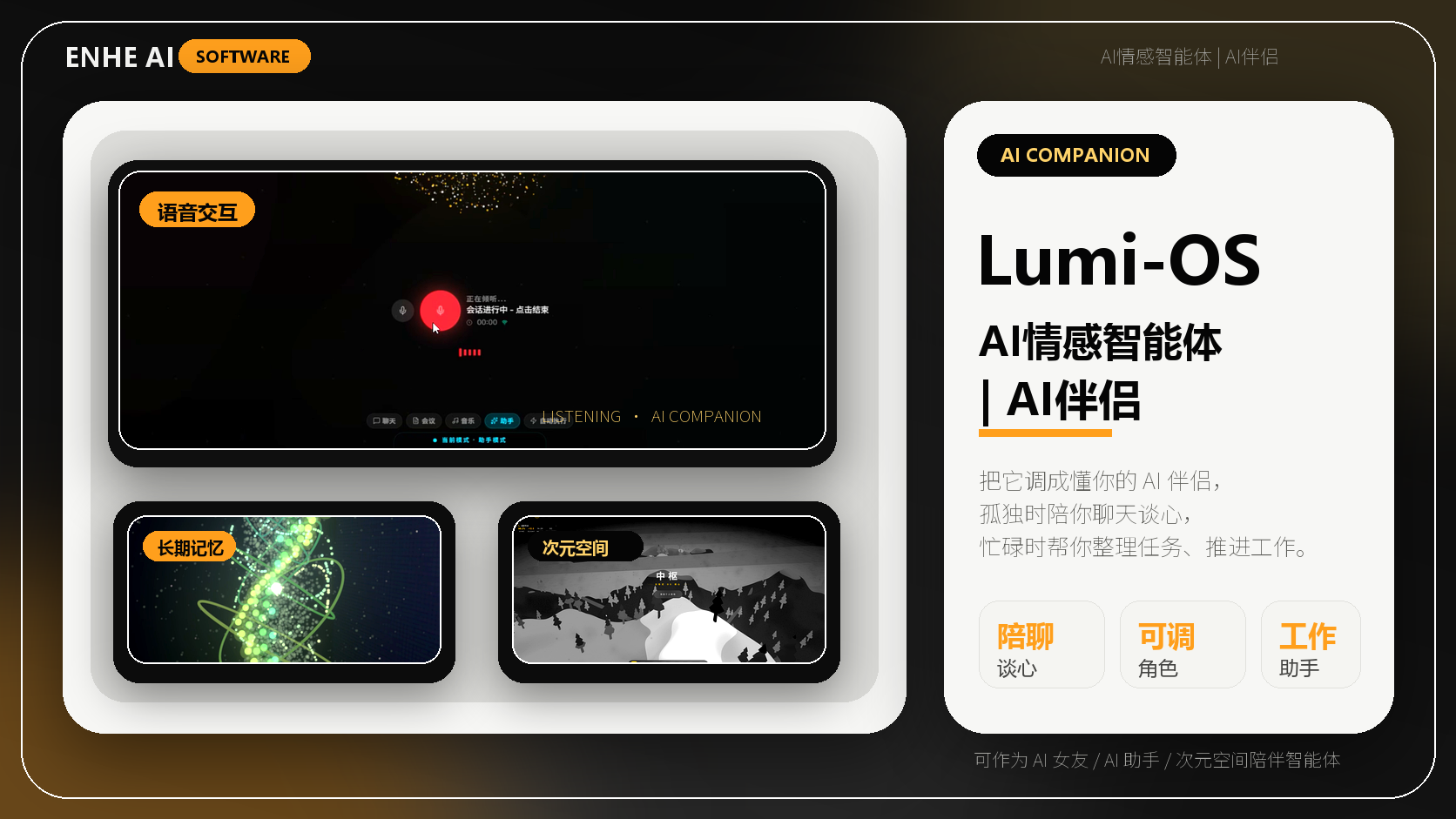
LumiOS 是一个可以陪你工作、也能陪你说话的 AI 智能体伴侣。它把语音交流、长期记忆、工具执行和桌面工作台放在同一个入口里,让 AI 不只是回答问题,而是更自然地理解你、记住你、陪你把事情往前推进。 LumiOS is an AI agent companion for both work and emotional presence. It brings voice conversation, personal memory, tool execution, and a desktop AI workbench into one calm entry point, helping AI listen, remember, respond, and move your day forward.
版本
V3.0.5
系统要求
Windows 10/11
下载次数
0
使用次数
0
该软件为收费下载,支付成功后系统会自动解锁该工具的下载链接内容。
版本更新记录
0 条记录当版本、交付说明或使用建议发生变化时,ENHE AI 会在这里同步重要更新。使用或购买前,请以当前页面说明为准。
使用前确认
购买和使用前可以先查看演示、环境要求、版本记录与售后入口。
产品介绍
很多 AI 产品都像一个临时聊天窗口:你问一句,它答一句;下一次再打开,又要重新解释背景、重新组织材料、重新进入状态。 LumiOS 想解决的不是“再多一个聊天框”,而是让 AI 成为一个更稳定的智能体伴侣,既能接住你的工作任务,也能在你需要表达、倾诉、整理思绪时保持在线。
在工作中,LumiOS 可以作为你的桌面助手。你可以用语音或文字交代想法、拆解任务、整理资料、调用工具、连接模型和知识库,让研究、写作、开发、运营、复盘等流程更连续。它不是只给你一段答案,而是帮助你把下一步行动变清楚。 在日常状态里,LumiOS 也可以作为情感陪伴入口。它能记住你的偏好、节奏和上下文,让对话不再每次从零开始。当你想说话、想复盘一天、想把压力讲出来,LumiOS 可以成为一个随时可打开、安静回应你的 AI 陪伴空间。 当前产品方向面向 Windows 桌面 AI 工作流,支持云端模型、本地模型和 OpenAI 兼容接口,并围绕语音交互、长期记忆、MCP 工具体系和本地工作台持续构建。它适合希望把 AI 真正放进日常电脑工作与个人陪伴场景的创作者、开发者、运营人员、学生和知识工作者。
主要功能
- 陪你工作: 帮你拆任务、理思路、写内容、查资料,把模糊想法变成可执行步骤。
- 听见情绪: 不只处理指令,也能在你想表达、倾诉、复盘时给出有温度的回应。
- 记住偏好: 沉淀你的常用背景、沟通方式、项目线索和个人节奏,减少重复解释。
- 语音交流: 支持更自然的语音入口,让 AI 像在身边一样随时可以被唤起。
- 替你执行: 通过模型、工具和 MCP 生态,把 AI 从“回答”推进到“帮你完成动作”。
- 桌面工作台: 把文件、知识、任务、会话和本地能力整合到一个更长期的 AI 入口。
使用场景
- 工作推进: 写方案、拆需求、整理会议内容、规划下一步行动。
- 创作陪跑: 从灵感、提纲、草稿到发布,持续帮你打磨表达。
- 学习复盘: 把知识点、问题和学习路径整理成更容易坚持的节奏。
- 情绪陪伴: 在压力、孤独、疲惫或需要表达时,获得一个稳定的回应空间。
- 智能体执行: 连接工具和模型后,把重复步骤交给 AI 逐步处理。
转化 CTA
体验 LumiOS,让 AI 成为你的工作助手和情感伴侣。
Most AI products still feel like temporary chat windows: you ask, they answer, and every new session starts from zero. LumiOS is designed for something more durable. It turns AI into an agent companion that can help with work, stay aware of context, and offer a steady space when you need to talk, reflect, or reset. For work, LumiOS can act as your desktop assistant. You can speak or type ideas, break down tasks, organize materials, connect models, call tools, and continue through research, writing, development, operations, or review workflows with less context switching. For everyday emotional value, LumiOS can also become a companion space. It remembers your preferences, rhythm, and ongoing context, so conversations feel less like starting over and more like returning to someone who already understands the shape of your day. The current product direction focuses on Windows desktop AI workflows, with support for cloud models, local models, OpenAI-compatible endpoints, voice interaction, long-term memory, MCP tools, and a local workbench. It is built for creators, developers, operators, students, and knowledge workers who want AI to become part of both their productivity and personal daily rhythm.
Key Features
- Work assistant: Turns unclear ideas into tasks, outlines, drafts, research paths, and next actions.
- Emotional presence: Responds with warmth when you want to talk, reflect, decompress, or sort through your day.
- Personal memory: Keeps preferences, context, project clues, and communication patterns available over time.
- Voice companion: Makes AI easier to reach through natural voice-first interaction.
- Agent actions: Connects models, tools, and MCP capabilities so AI can move from answering to doing.
- Desktop workbench: Brings files, knowledge, tasks, conversations, and local capabilities into one persistent AI space.
Use Cases
Daily work planning, writing, research, meeting notes, and task breakdown. Creative support from early ideas to structured drafts and publishing. Learning review, knowledge organization, and study planning. Emotional check-ins, reflection, decompression, and companionship. Agent workflows that connect tools and models to complete repeated actions.
CTA
Try LumiOS and let AI become both your work assistant and emotional companion.
使用教程
每个工具支持独立教程、步骤排序、图片和视频链接。
常见问题
购买软件后如何获取下载内容?
完成购买并通过审核后,可在用户中心查看对应软件的下载链接、版本信息和使用说明。
使用前需要确认什么?
请先查看系统要求、版本记录、产品介绍和使用教程,确认软件适合你的设备环境和工作流程。
Windows 桌面工作流 | AI 智能体伴侣主要用来做什么?
Windows 桌面工作流 | AI 智能体伴侣用于辅助完成 AI 工具应用、内容生产、流程处理或效率提升类任务。使用前建议结合详情页说明确认适用场景。
Windows 桌面工作流 | AI 智能体伴侣如何融入实际工作流?
建议先明确要完成的任务,再按照详情页和教程进行小范围测试,确认输出质量、操作步骤和成本后再用于高频工作。
遇到下载、安装或使用问题怎么办?
可以先查看详情页、教程和版本说明;如果仍有问题,可联系 ENHE AI 客服获取下载、安装、使用或更新相关支持。
用户评论
登录后可以评论。
相关推荐工具

手机聊天截图素材制作(无需代码、操作简单、功能最强版本)
Mobile Chat Screenshot Maker No Code Required, Easy to Use, Ultimate Version
价值:【中文简介】 对话模拟器是一款本地运行的手机聊天截图素材制作工具

FaceSwap Studio 中文整合版|AI 人脸替换工具
FaceSwap Studio Chinese Integrated Edition|AI Portrait Synthesis Research Tool
价值:FaceSwap Studio 中文整合版是一款面向 AI 图像处理学习、开发测试和授...

AI Video Studio 无所不能版本|本地AI视频生成工作站|文生视频 图生视频 视频增强 完整部署包
AI Video Studio Omnipotent Edition | Local AI Video Workstation | Text-to-Video, Image-to-Video, Video Enhancement
价值:这是一套本地部署的 AI 视频生成工作站软件包