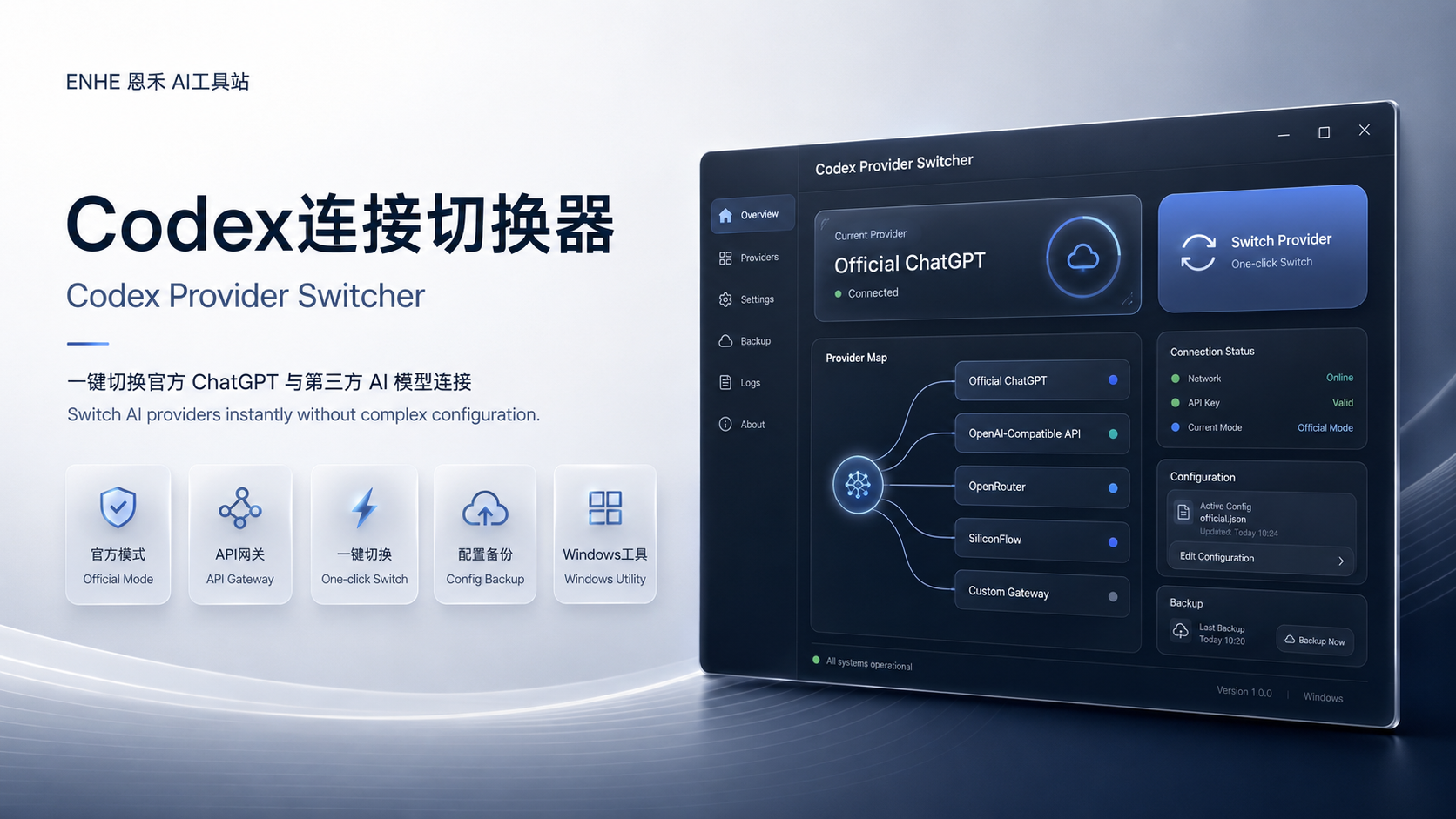
ENHE 工具封面
Codex智能切换助手 | 官方API与第三方模型快速切换工具
Codex Provider Switcher | One-click AI Connection Manager for Official & Third-party Providers
Codex连接切换器是一款Windows AI工具,帮助用户一键切换官方ChatGPT账号模式与第三方AI API连接,支持CCswitch、OpenRouter、SiliconFlow等AI网关,无需修改配置文件。 Codex Provider Switcher is a Windows AI utility that lets you quickly switch between official ChatGPT access and third-party AI API providers like OpenRouter and SiliconFlow without editing configuration files.
版本
V1.0
系统要求
Windows 10/11
版本更新记录
0 条记录当版本、交付说明或使用建议发生变化时,ENHE AI 会在这里同步重要更新。使用或购买前,请以当前页面说明为准。
使用前确认
购买和使用前可以先查看演示、环境要求、版本记录与售后入口。
产品介绍
产品介绍
展示核心功能、适用场景和交付信息。
在使用 Codex、AI 编程助手和各种模型服务时,用户经常需要在官方 ChatGPT 账号额度和第三方 OpenAI-compatible API 服务之间切换。
传统方式需要手动修改 config.toml、环境变量以及登录状态,不仅复杂,而且容易出现配置错误。
Codex Provider Switcher 将这些操作整合到一个简单的桌面应用中,通过可视化界面帮助用户快速切换 AI 服务连接。
核心优势
- 1一键切换 AI Provider
- 2支持官方 ChatGPT 模式
- 3支持多个第三方 API 网关
- 4自动保存和恢复配置
- 5本地管理 API Key
- 6中英文界面
When working with Codex and AI coding tools, users often need to switch between official ChatGPT access and third-party AI providers.
Managing config files, environment variables, and authentication settings manually can be complicated and error-prone.
Codex Provider Switcher provides a simple visual interface to manage AI connections, allowing users to switch providers instantly while keeping configurations organized and backed up.
Features
- 1One-click provider switching
- 2Official ChatGPT mode support
- 3Third-party API gateway support
- 4Secure local configuration management
- 5Automatic configuration backup
- 6Chinese / English interface
常见问题
Codex连接切换器 | 一键管理官方ChatGPT与第三方AI模型连接的作用是什么?
Codex连接切换器是一款Windows AI工具,帮助用户一键切换官方ChatGPT账号模式与第三方AI API连接,支持CCswitch、OpenRouter、SiliconFlow等AI网关,无需修改配置文件。 Codex Provider Switcher is a Windows AI utility that lets you quickly switch between official ChatGPT access and third-party AI API providers like OpenRouter and SiliconFlow without editing configuration files.
Codex智能切换助手 | 官方API与第三方模型快速切换工具主要用来做什么?
Codex智能切换助手 | 官方API与第三方模型快速切换工具用于辅助完成 AI 工具应用、内容生产、流程处理或效率提升类任务。使用前建议结合详情页说明确认适用场景。
购买软件后如何获取下载内容?
完成购买并通过审核后,可在用户中心查看对应软件的下载链接、版本信息和使用说明。
用户评论
登录后可以评论。
恩禾管理员
Codex连接切换器是一款Windows AI工具,帮助用户一键切换官方ChatGPT账号模式与第三方AI API连接,支持CCswitch、OpenRouter、SiliconFlow等AI网关,无需修改配置文件。
下载链接
以下为工具下载链接内容,显示前会在服务端校验登录和付费购买权限。
下载链接内容
应用会迭代更新,如果想要最新版本请到GitHub下载,网盘版本也可以使用,如果不介意非最新可以网盘下载。 通过网盘分享的文件:Codex-Provider-Switcher-用户版.zip 链接: https://pan.baidu.com/s/1zk-l_vgXVvbOSAc-vrvUnA?pwd=gkdb 提取码: gkdb GitHub开源项目地址: https://github.com/hqwzhu/Codex-Official.git
Codex智能切换助手 | 官方API与第三方模型快速切换工具 下载链接